Overview
The Mileage+ app lets you automatically track your journeys. This article explains the difference between unsaved and saved trips, as well as how to save them.
Unsaved trips
When a trip is automatically recorded by the app it will appear on your "unsaved trips" page (see below):
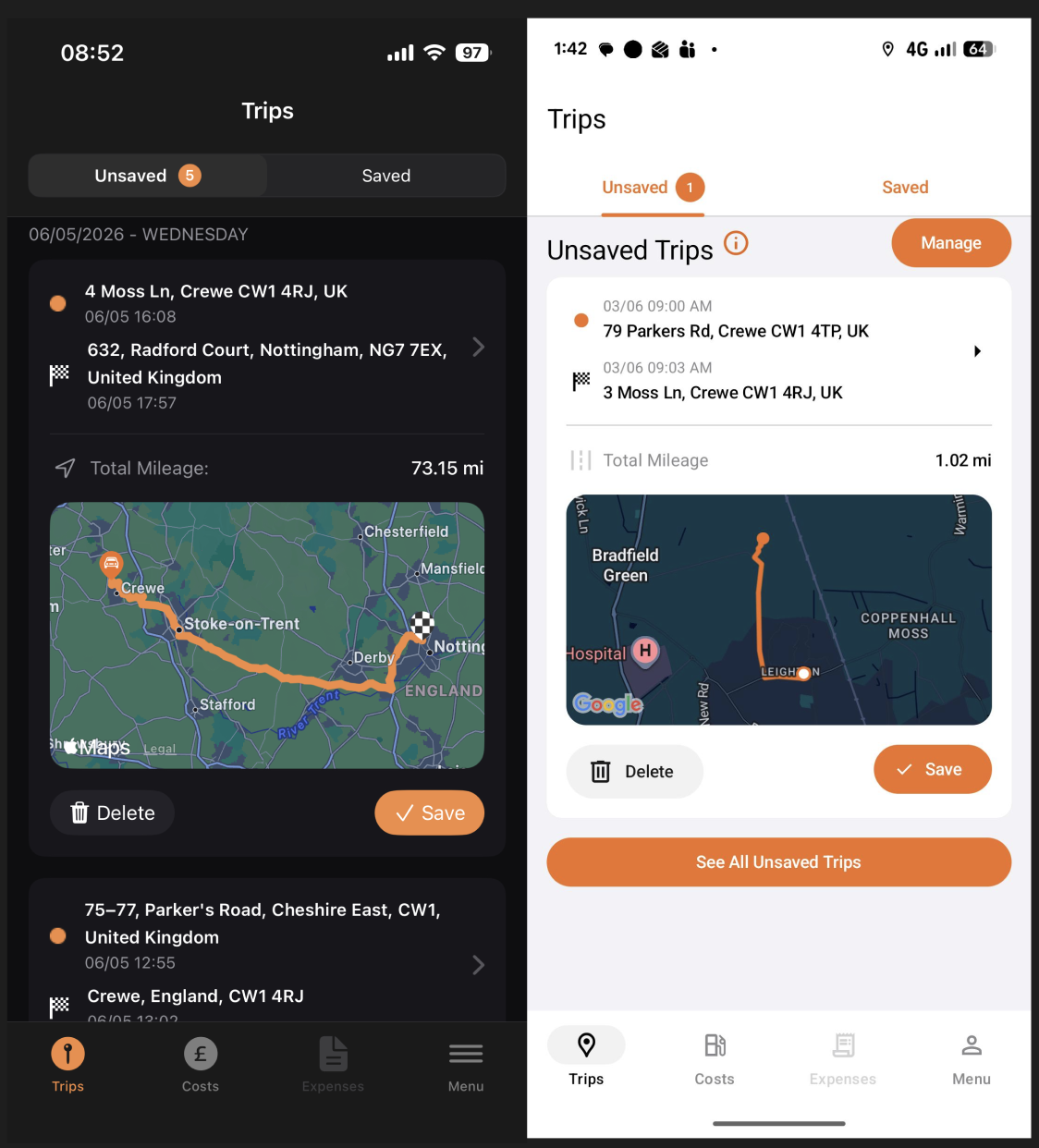
You now have the option to delete the trip, or to save it. For the trip to be added to your business miles it must be saved first. Unsaved trips are stored locally on your device, as such they are only visible to you. No one else can see your unsaved trips until you save them.
NOTE: Uninstalling the app will cause unsaved trips to be lost. If you don't want to lose them you must save them before uninstalling.How to save a trip
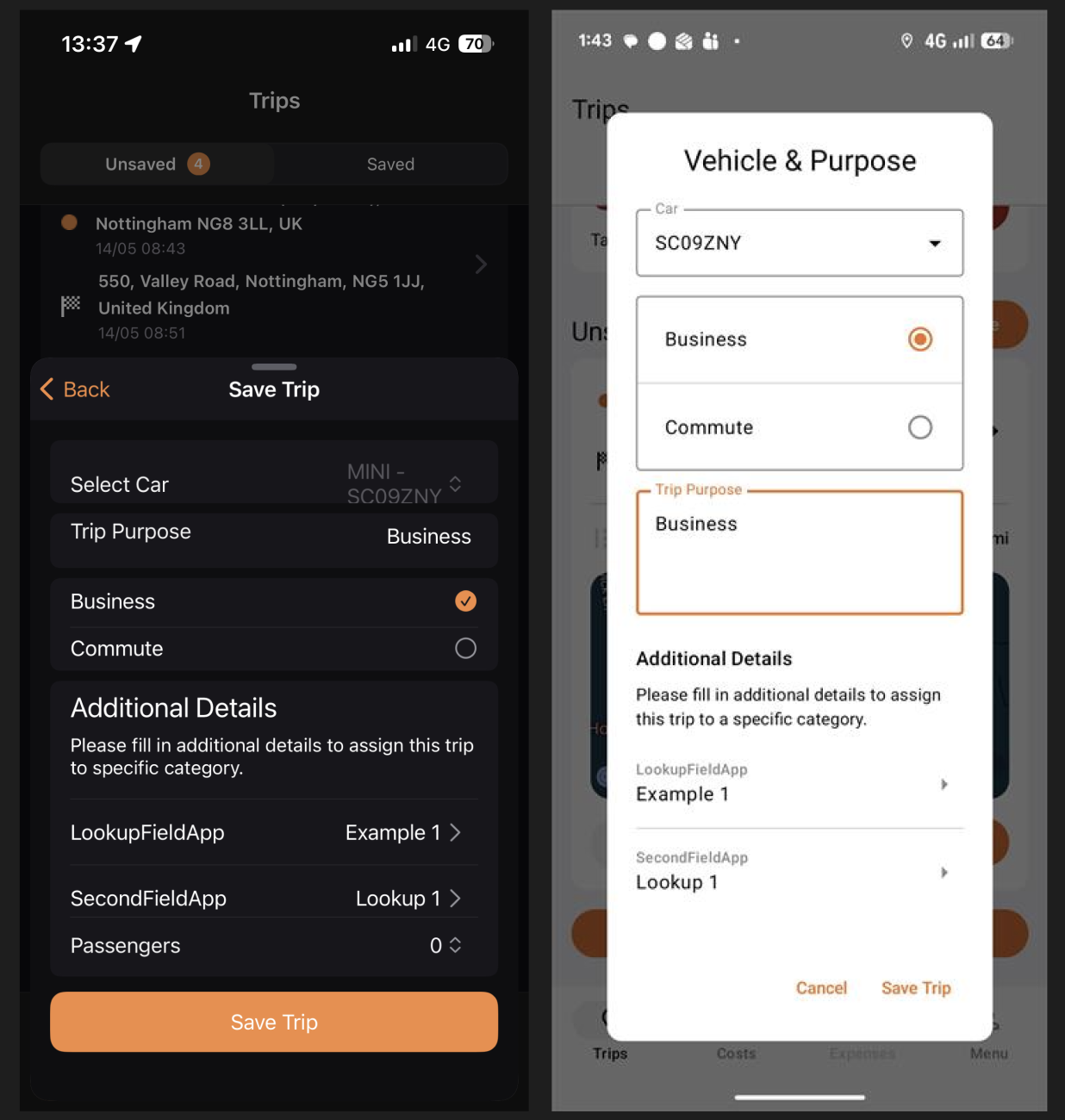
To save a trip, simply go to the trip on the unsaved page and tap "save". Then select the correct vehicle and trip purpose and tap "save trip".
Saved trips
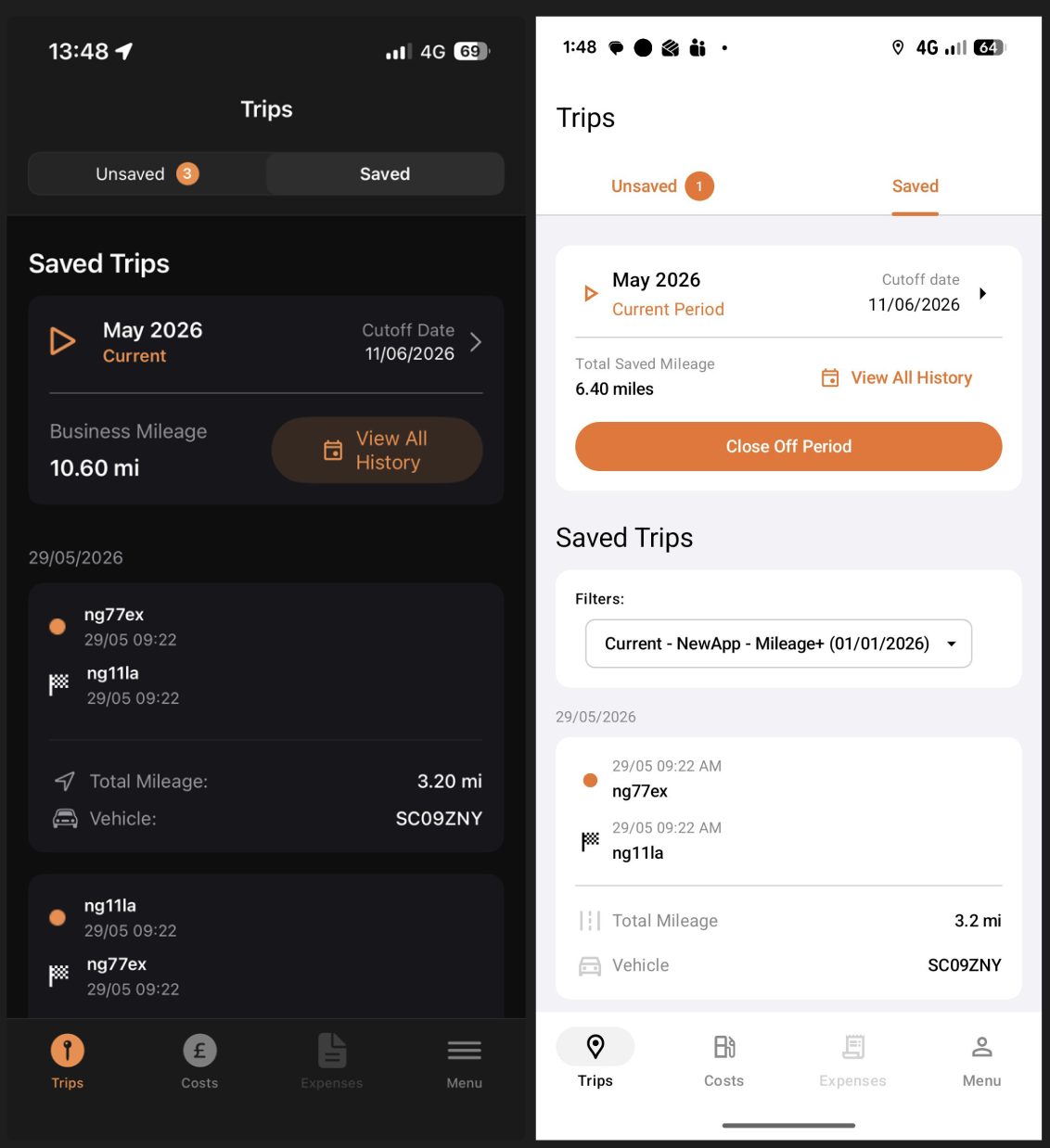
The trip should then be saved, appearing in your "saved trips" page and counted towards your business miles. Now that the trip has been saved, it is now visible to your company.